.png)
What do I need to create my account/password?
You will need your Username and RockyCard Employee ID Number.
How do I get my ID Number?
Students: You should have received your Username and ID Number along with your acceptance letter / email. This is different from your myUNCAsheville / avlbound account, and the information you used for that will not work for OnePort or your UNCA email. If you are unable to find your acceptance letter / email, please contact Admissions at admissions@unca.edu or (828) 251 6481.
Faculty: You should have received your Username and ID Number from Academic Affairs. This is different from your jobs.unca.edu account, and the information you used for that will not work for OnePort or your UNCA email. The ID number should be available on your RockyCard. If you are unable to find your employee ID, contact HR at 828.251.6605
Staff: You should have received your Username and ID Number from HR This is different from your jobs.unca.edu account, and the information you used for that will not work for OnePort or your UNCA email. The ID number should be available on your RockyCard. If you are unable to find your employee ID, contact HR at 828.251.6605
Logging in for the first time
Visit OnePort and login to start the process. https://oneport.unca.edu
You will be prompted to enter your username@unca.edu and a password using your Birthdate and ID number in the following format: MonDDYYYY_930555555.
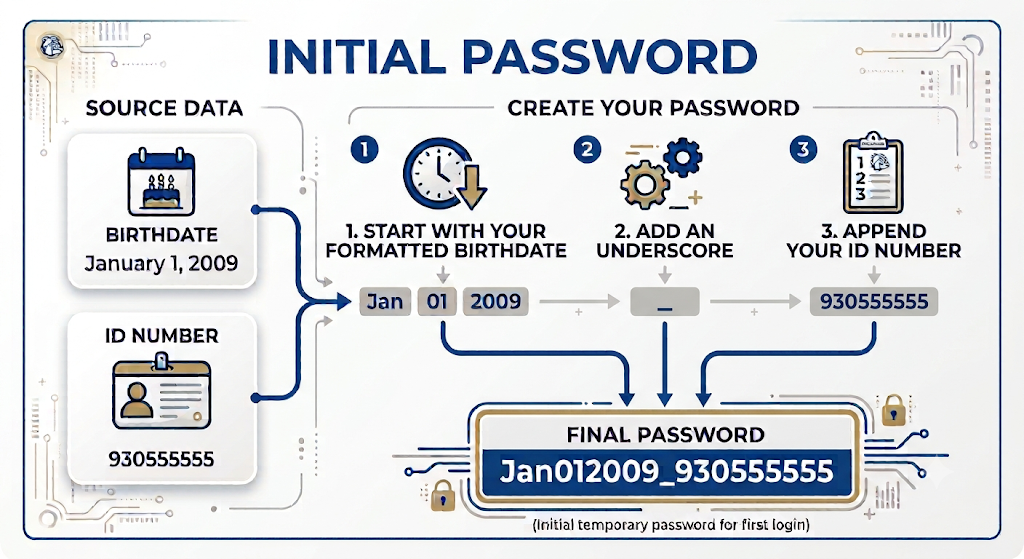
Use a three digit month abbreviation with initial capitalization, two digit numeric date and four digit numeric year, an underscore, then your full 9 digit ID number.
For example:
If your birthdate is January 1, 2009 and your ID is 930555555 your initial password will be Jan012009_930555555
If your birthdate is July 20, 1969 and your ID is 202222222 your initial password will be Jul201969_202222222.
|
Month |
3 Digit Abbreviation |
|---|---|
|
January |
Jan |
|
February |
Feb |
|
March |
Mar |
|
April |
Apr |
|
May |
May |
|
June |
Jun |
|
July |
Jul |
|
August |
Aug |
|
September |
Sep |
|
October |
Oct |
|
November |
Nov |
|
December |
Dec |
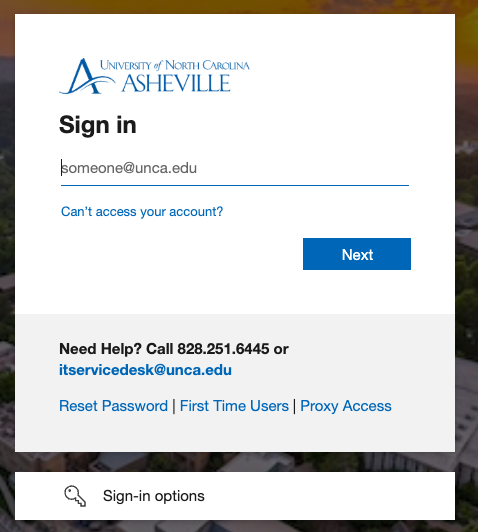
If this is your first time signing in you will be prompted to enroll MFA methods.
Finally, you will be prompted to set a new password. See below for complexity requirements.
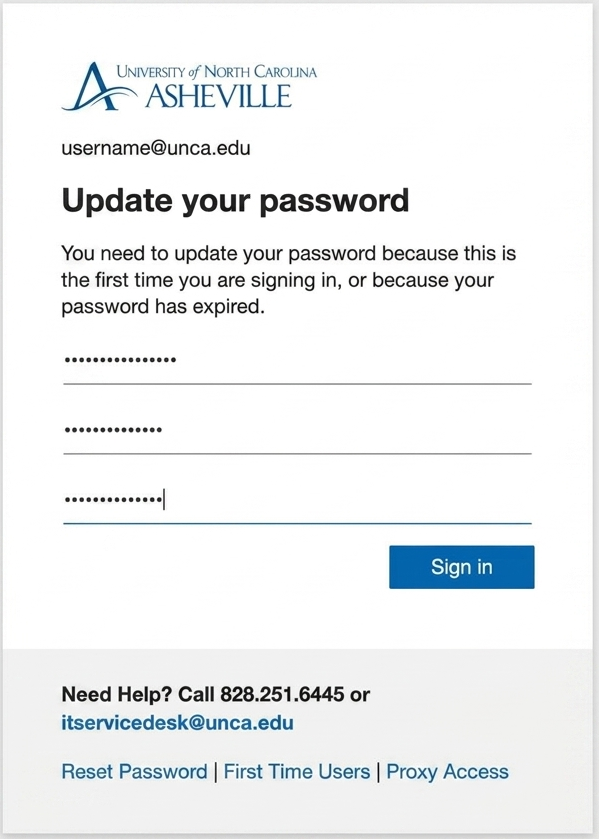
Multiple password changes in the same day are not allowed, so ensure you set a password you will remember.
Please note the password requirements
UNC Asheville Password Requirements
-
Passwords cannot contain the user's account name or parts of the user's full name that exceed two consecutive characters.
-
Passwords must be at least 12 characters and no more than 64 characters in length.
-
Passwords must not be the same as any of the 7 most recently used passwords.
-
Passwords must contain characters from three of the following four categories:
-
English uppercase characters (A - Z).
-
English lowercase characters (a - z).
-
Numeric digits (0 - 9).
-
Non-alphabetic characters:
{ } [ ] . ? / ! ^ * _ - + =
-
-
Common passwords, passwords that were involved in a known breach, and easily guessable passwords will also be rejected.
You will then be able to log in to both OnePort, your email and more using the same password! If you have any further questions, please let us know.