.png)
Administering call queues can be done in the Zoom Web Portal and is similar to your personal settings. ITS staff can help manage members to your departments call queue if these individuals change. The instructions below provide guidance on how to navigate to your call queue and the essential settings you want to manage.
-
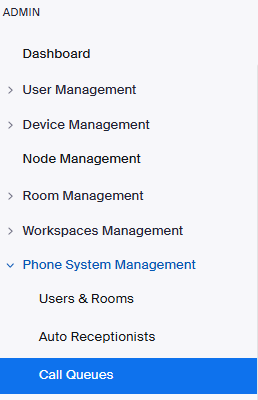
Use a browser to reach the Zoom Web Portal. If access is granted for you, you will notice an Admin feature on your left-hand toolbar underneath your personal settings. Call queues can be found under ‘Phone System Management’. This will display the numbers you currently administer.
-
Within your call queue settings, your profile page will include business hours and holiday management. Additionally, within Overflow you can adjust your voicemail greetings and other post-call actions like call forwarding.
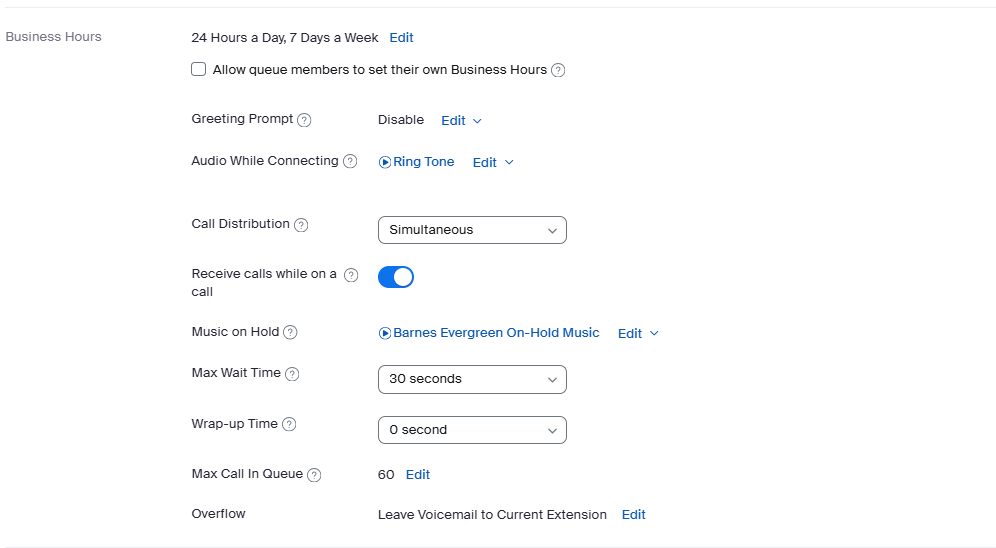
Additional settings available by your IT Administrator. Please open an ITS request for these services to be activated and properly configured.
-
Voicemail membership
-
Voicemail delivery to a generic email or mailer
-
SMS (Texting) Services
-
Faxing